RIR Tracker: How to Log Reps in Reserve (and Why It Beats Tracking Weight Alone)
What Reps in Reserve (RIR) actually measures, how to estimate it accurately, and how logging it per set turns your workout tracker into a tool that adapts to you.
RIR Tracker: How to Log Reps in Reserve (and Why It Beats Tracking Weight Alone)
"185 lbs for 8 reps" tells you almost nothing on its own. Was that an all-out grinder, or could you have racked three more? Without that context, two identical-looking sets can represent completely different training stimuli — and a tracker that only logs weight and reps can't tell them apart.
Reps in Reserve (RIR) is the fix: a simple per-set number that captures how close you actually got to failure. Log it consistently and your training log stops being a static record and starts being a signal you can train against.
What RIR actually measures
RIR estimates how many more reps you could have performed with good form before technical failure. It's the direct counterpart to RPE (Rate of Perceived Exertion) on a 1–10 scale — RPE 10 and 0 RIR describe the same set.
The scale:
| RIR | Meaning | When to use it |
|---|---|---|
| 0 | You could not have done another rep | Top working sets, testing days |
| 1 | One more rep was possible | High-effort working sets |
| 2–3 | Several reps left, form still solid | The sustainable zone for most working sets |
| 4+ | Comfortably short of failure | Warm-ups, technique work, deload sessions |
Most lifters — even experienced ones — underestimate how far they actually are from failure. If you're unsure which number to log, the honest answer is usually one or two higher than your gut says.
Why RIR matters more than the weight on the bar
A 2024 meta-regression by Robinson et al. in Sports Medicine found a negative dose-response relationship between RIR and hypertrophy: sets taken closer to failure produced more muscle growth, independent of load. Separately, Grgic & Schoenfeld showed that motor unit activation — the mechanism behind that growth — tracks with effort, not the number on the plate: light and heavy loads recruited comparable motor unit populations when both were taken to similar proximity to failure.
The practical takeaway: two sets of "185 × 8" aren't the same set if one was 0 RIR and the other was 4 RIR. A tracker that only logs the weight and rep count can't distinguish them. One that logs RIR can.
How to log RIR without slowing your session down
You don't need a stopwatch or a spreadsheet — just a habit:
- Log it immediately after the set, while the effort is fresh. Waiting until after the workout makes every RIR estimate a guess.
- Be consistent about your failure definition. Technical failure (form breaks down) is a more reliable anchor than absolute failure (you literally cannot move the bar).
- Compare against your own history, not a universal standard. What 2 RIR feels like on a bench press and on a leg press are different things — your own trend over time matters more than hitting an exact number.
- Use it to set next session's target, not just to describe the set you just finished. If you hit 8 reps at 2 RIR, that's a strong candidate to add weight or a rep next time.
RIR tracking in Tracked
Tracked logs RIR (or RPE, if you prefer that scale) directly on the set-logging screen — no separate note, no end-of-workout reconstruction. That per-set history feeds two features:
- Auto Regulate analyzes your RIR history alongside other training inputs to predict your next set's weight and reps automatically, shown right on the set card so you're not guessing what to load next.
- Personal Records factors RIR into what counts as a genuine best — a heavier weight hit at a much higher RIR than your usual working sets is a different kind of PR than a true grinder at 0 RIR, and Tracked's PR calculation accounts for that instead of only comparing raw numbers.
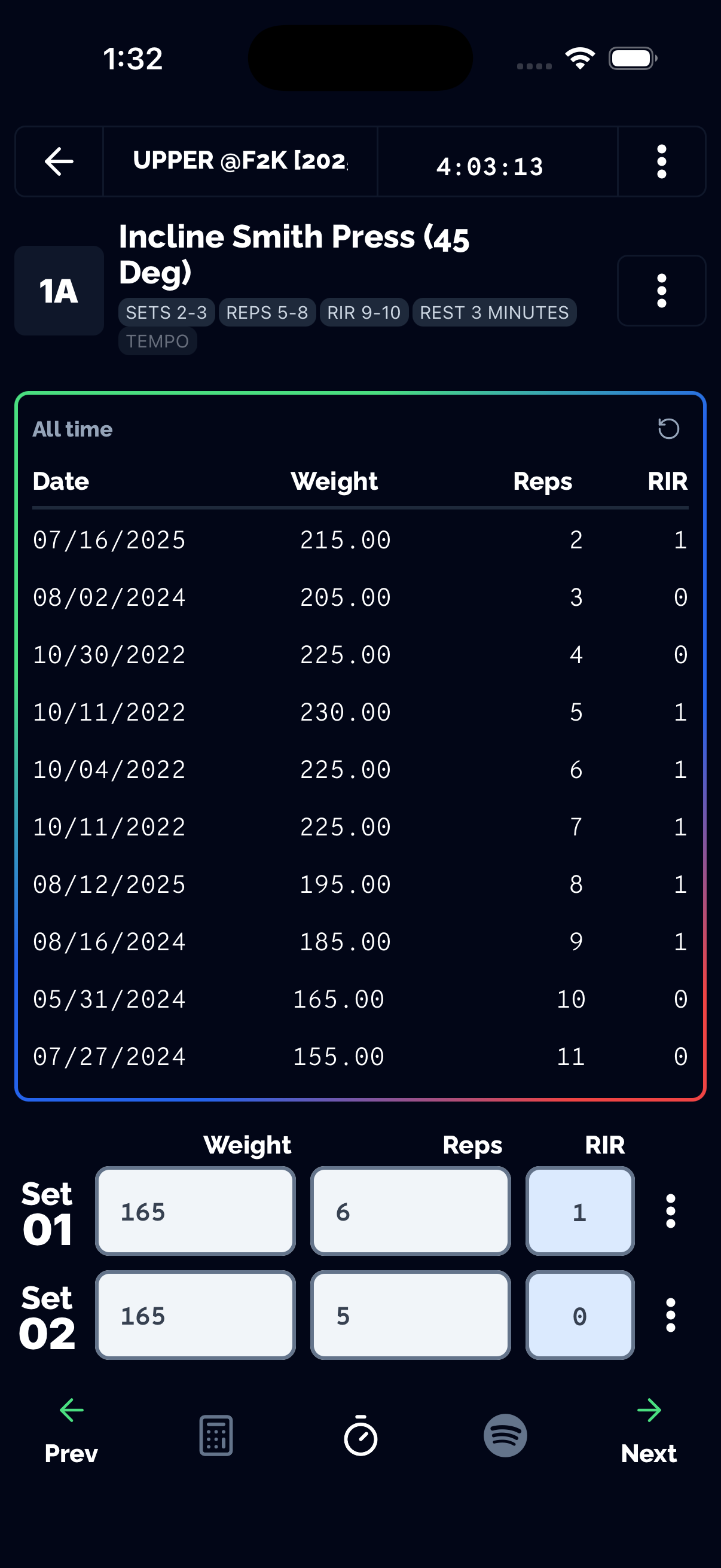
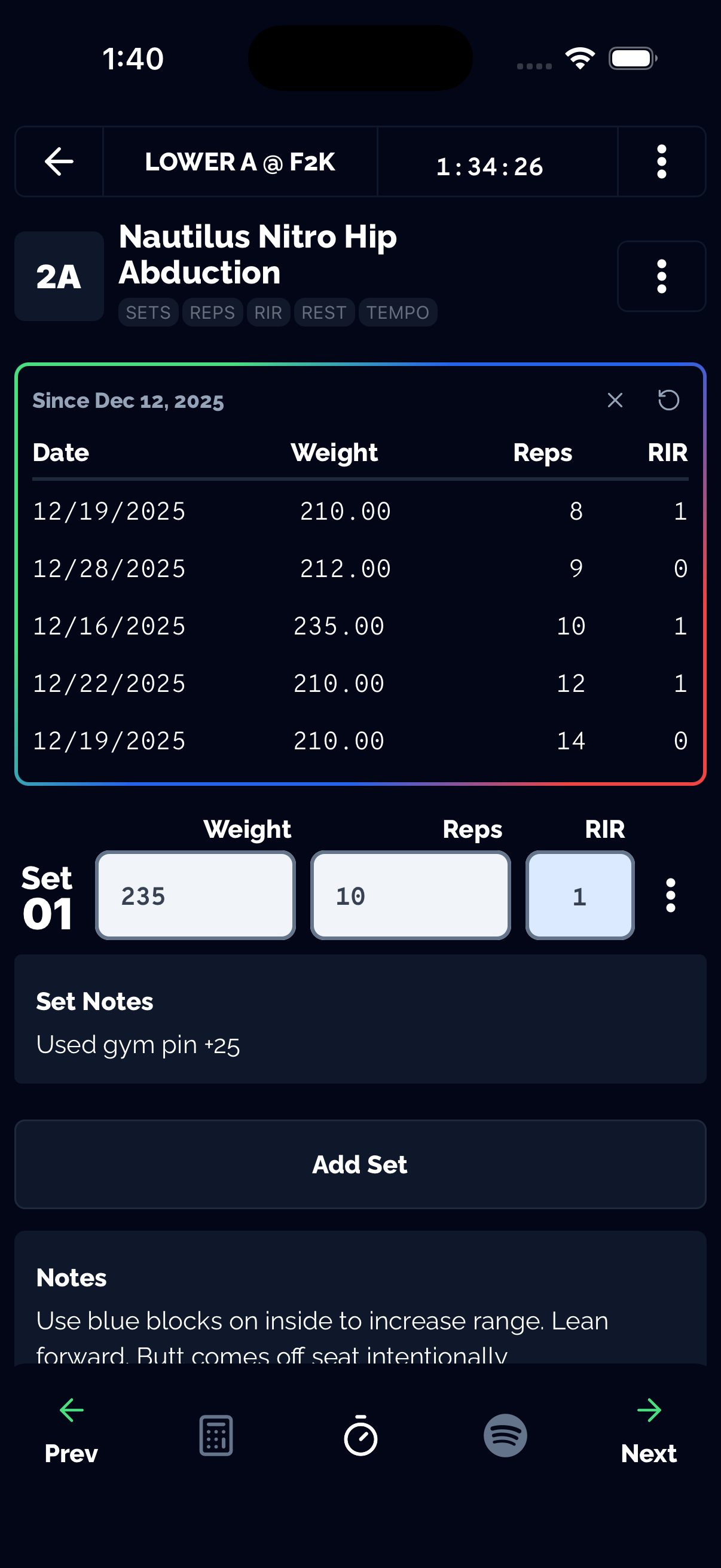
Tracked's default intensity measure is RIR, set once in Settings — every set-logging screen picks it up automatically, so there's no per-session toggle to remember.
RIR and progressive overload
RIR isn't just a fatigue readout — it's an input to overload decisions. If two consecutive sessions hit your target reps at 2+ RIR above where you started, that's the signal to add load, following the same logic behind the NSCA's "2-for-2" progression rule. Tracked's Net Progression view rolls this up automatically, comparing your current session to the last matching one so you don't have to do that math by hand. For the full mechanism behind why this matters for growth, see Scientific Progressive Overload Tracker.
The bigger picture
RIR is one of the four pillars of a workout tracker that actually helps you improve — see the complete workout tracker guide for how it fits alongside progressive overload, offline reliability, and longer-term context like weekly volume.