Workout Tracker: The Complete Guide to Logging Lifts, Overload, and Recovery
The pillar guide to workout tracking — what to log, why RIR and progressive overload matter more than the number on the plate, and how to pick a tracker that works offline and shows real progress.
Workout Tracker: The Complete Guide to Logging Lifts, Overload, and Recovery
A workout tracker is only as useful as the data it captures and the decisions it helps you make. Most people start by logging weight and reps. That's a start, but it misses the two things that actually drive results: how close each set took you to failure, and whether your training is trending up or down over time.
This guide is the hub for how we think about workout tracking at Tracked. It covers what a tracker needs to do well, links out to deep dives on the topics that matter most, and maps every concept back to a real feature you can use today — no vague promises, no vaporware.
Why "just log the weight" isn't enough
Weight and reps tell you what happened. They don't tell you how hard it was, or whether it was harder or easier than last time relative to your capacity that day. Two sessions can show identical numbers — 185 lbs × 8 — and be completely different training stimuli depending on how many reps you had left in the tank.
That's the gap a serious workout tracker closes. Research on training closer to failure shows a real relationship between proximity to failure and hypertrophy — see our deep dive on how tracking your lifts drives muscle growth for the full mechanism. The short version: a tracker that only records weight × reps is recording half the story.
The four pillars of a workout tracker that actually helps
1. Reps in Reserve (RIR) — proximity to failure
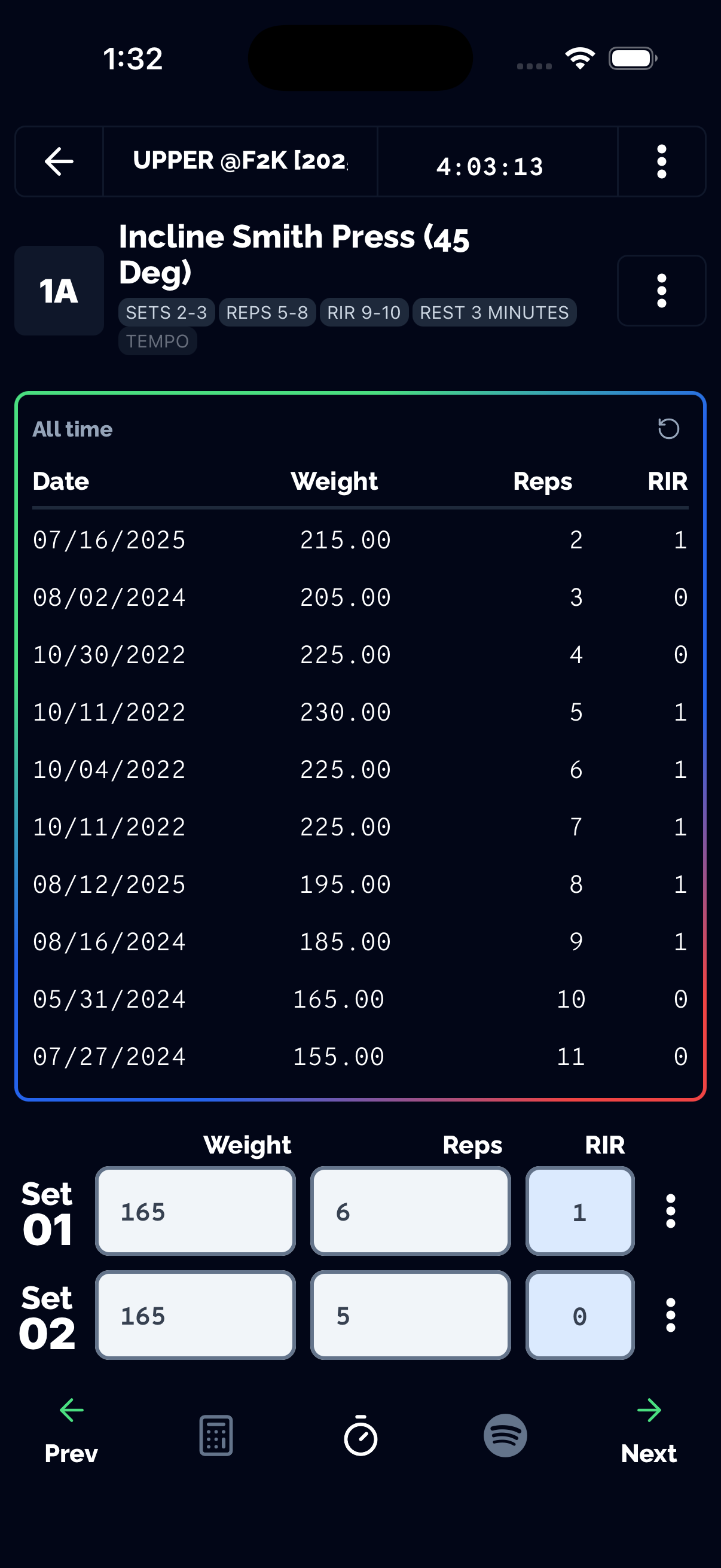
RIR is the number of additional reps you could have performed with good form before hitting failure. Logging it per set turns a flat number into a trainable signal — a set stopped at 3 RIR is a fundamentally different stimulus from the same weight and reps taken to 0 RIR.
Tracked logs RIR (or RPE, its inverse) directly on every set, and its Auto Regulate feature uses that history — along with other training inputs — to predict your next set's weight and reps automatically. Full breakdown: RIR Tracker: How to Log Reps in Reserve.
2. Progressive overload — the only metric that matters long-term
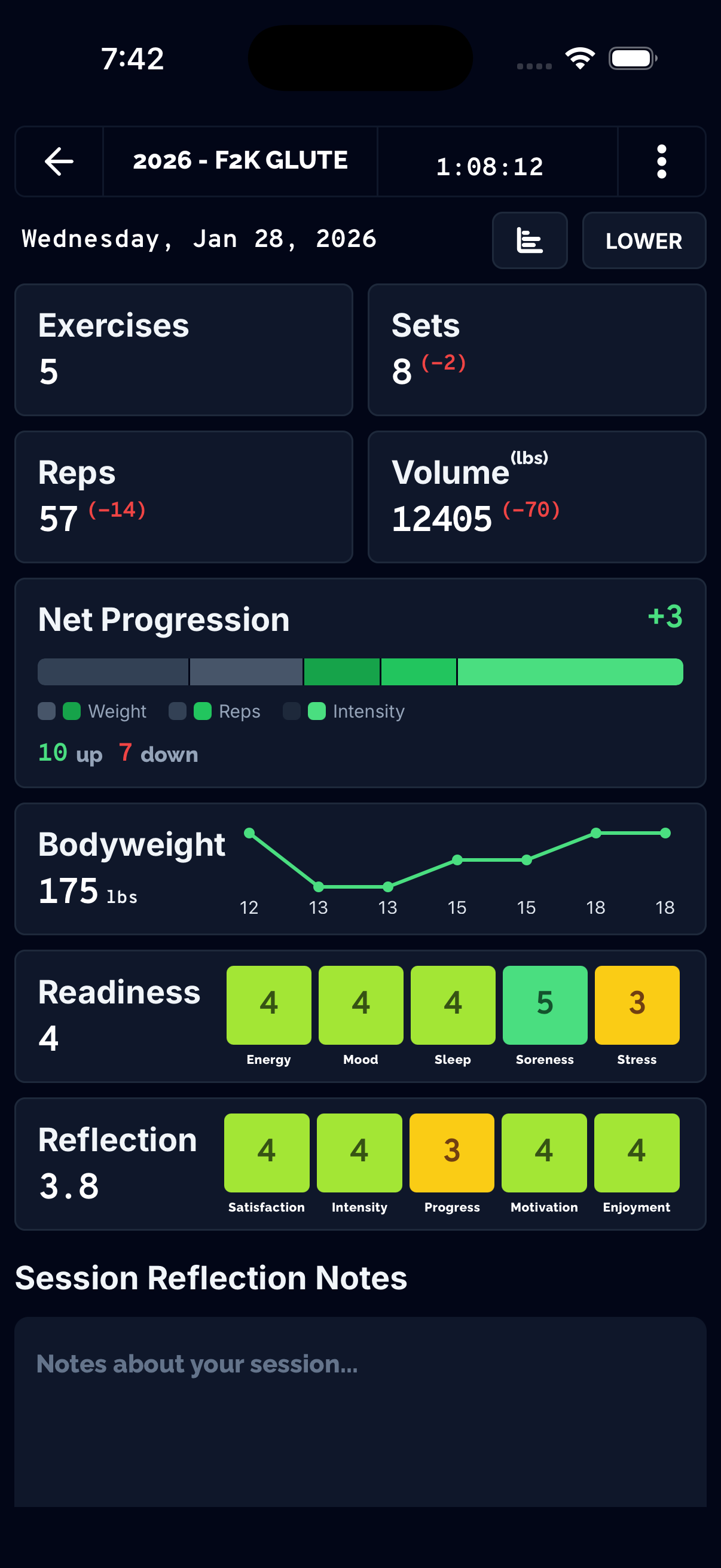
Progressive overload — systematically increasing training stress over time — is the mechanism behind long-term strength and hypertrophy gains according to ACSM and NSCA guidance. A tracker's job is to make "am I actually progressing?" a one-glance answer instead of a spreadsheet exercise.
Tracked's Net Progression compares your current session to the last time you performed the same workout and returns one clear signal — up or down — instead of forcing you to eyeball five different numbers. Personal Records tracks your best performance per rep range so you always know the number you're chasing. Full breakdown: Scientific Progressive Overload Tracker.
3. Consistency — the tracker has to work everywhere
The best logging system is worthless if it needs signal to open. Basement gyms, converted garages, and big-box gyms with dead zones are common enough that "no wifi" can't be an excuse to skip a session's data. Full breakdown: Offline Workout Tracker: Why Logging Shouldn't Need Signal.
Tracked is offline-first: every set is saved to your device instantly and syncs automatically the moment you're back online, so a dead zone in the gym never costs you a session's worth of data.
4. Context — volume, history, and the bigger picture
Session-to-session tracking matters, but so does the longer view: how much total volume a muscle group is getting per week, whether an exercise has plateaued, whether a lagging muscle group needs more sets. Tracked's Muscle Analytics rolls set-level data up into per-muscle volume and recovery views, and Programs let you plan progressive overload across a full training block instead of session by session.
Choosing a workout tracker: what to actually evaluate
| What to check | Why it matters | Where Tracked stands |
|---|---|---|
| Does it log RIR/RPE per set, not just weight and reps? | Determines whether you can see proximity to failure, not just load | Yes — Auto Regulate |
| Does it tell you if you're progressing without manual math? | Removes the spreadsheet step between logging and decision-making | Yes — Net Progression |
| Does it work with no signal? | Gyms with dead zones are common; a tracker that needs wifi loses data | Yes — offline-first |
| Does it track PRs per rep range, not just 1RM? | A single 1RM number hides most of your actual training range | Yes — Personal Records |
| Is the core logging experience free? | Paywalling basic logging defeats the point of tracking consistently | Yes — see our free workout tracking apps comparison |
What's next in this series
This pillar page anchors a growing cluster of workout-tracking content. Live now:
- RIR Tracker: How to Log Reps in Reserve
- Scientific Progressive Overload Tracker
- Offline Workout Tracker: Why Logging Shouldn't Need Signal
- How Tracking Your Lifts Drives Muscle Growth
- Best Free Workout Tracking Apps
More topics — training-volume tracking, set/rep tracking, workout logs with video, workout comparison, rest timers, and exercise-history tracking — are in the pipeline and will slot into this same cluster as they publish.
Try it
Every feature in this guide is live in Tracked today, not on a roadmap. Start logging your next session with RIR, automatic progression tracking, and zero dependency on gym wifi — grab the app below.